Online ordering for caterers with a set menu
If you sell boxes and platters at fixed prices, a catering online ordering system takes the back and forth out of your set-menu orders. The customer picks a date, chooses delivery and pays by card. You get a clear order with enough notice to cook it. We set up the shop in about three weeks, then keep it running every month.
Sound familiar?
The same six questions, every time
What is in the box? Is there a vegetarian one? How much for twenty? Can you deliver to us? You type out nearly the same email for every platter order, and some of them never come back.
Chasing the transfer the day before
You have bought the produce and booked the time. The invoice from last week is still unpaid. You send a polite reminder, then a less polite one, and cook anyway.
Forty people, ordered last night
An office manager emails at 8pm. It is for forty, for lunch tomorrow. The market has closed, the kitchen is booked, and you have no good way of saying that you need more warning.
What you get
Boxes and platters with fixed prices
Put your set menu in the shop. People see what is in each one and what it costs. They add what they want, with no need to email you first.
Paid in full when they order
The customer pays by card at checkout, for a date they choose. The payment goes to your bank through your own Stripe account. There is no invoice to chase.
Notice you can count on
Notice needed is a single setting in hours, such as 48. Orders inside that window are not offered. The date picker only shows days you have made available.
Delivery to the areas you choose
You decide which areas you deliver to, and set a delivery fee. Someone outside your area cannot place a delivery order, so you never agree to a drive you do not want.
A prep list for each day
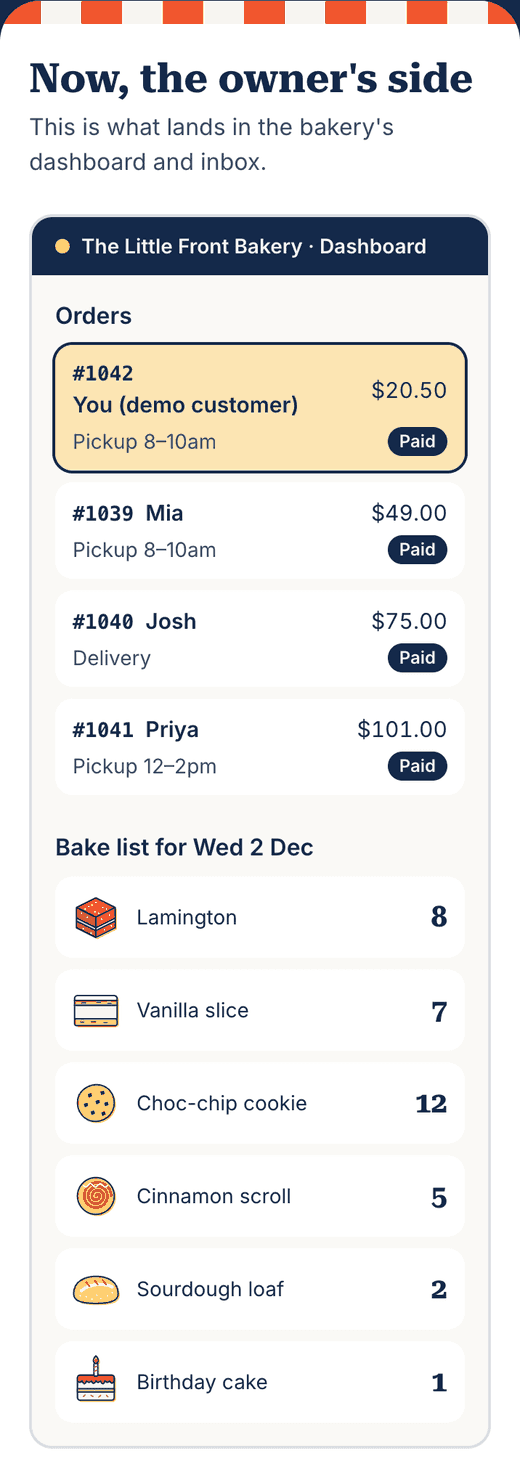
Every order is added up by day. You see how many of each box and platter you are making, and can shop and prep from one list.
Emails sent for you
The customer gets a confirmation when they order, and a ready-to-collect email for pickups. You get an alert for each new order. If you move an order to another day or time, the customer is told.
The shop is for your set menu. A quote for a one-off event, like a wedding, still happens by email, not on the site. The enquiry form is where that conversation begins.
A week with it: one Thursday lunch, start to finish
Monday
An office books lunch for Thursday through your shop. They choose three boxes and a platter, pick delivery, and pay by card. Thursday is more than 48 hours away, so the date was open to them.
Monday afternoon
A couple planning a wedding send a note using the enquiry form. It is not a set-menu job. You read it later, and reply by email with questions and a quote.
Tuesday
Two more orders arrive for Thursday, and one for Friday. Each one is paid and has a delivery address inside the areas you chose. You do not reply to a single email about it.
Wednesday
You open the prep list. Thursday shows every box and platter added up. You shop for exactly that, and start the slow work: the roast, the dips and the pickled slaw.
Thursday
You pack the van from the list and deliver the office lunch at noon. The customer already has the confirmation email, and the order, the address and the delivery day are all on the one screen.
Friday
The prep list for next week's orders is already adding up. You can see what Tuesday needs before you place the produce order.
Try the demo shop
Place a pretend order, then see what lands on your side of the counter.
The demo is a bakery, and the same shop takes orders for platters and boxes. Click through it as a customer would, and picture your own menu and delivery areas in place of the bread.
Try the demo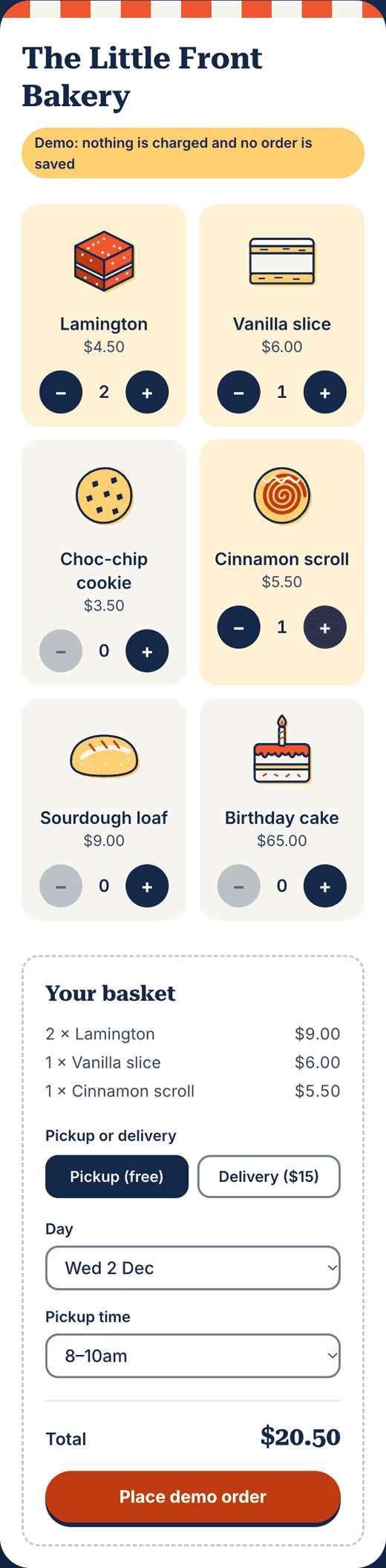
Prices in brief
Launch + Care
$1,500 setup, then $129 a month
$1,500 setup, half to start and half at launch. Cancel any time with 30 days' notice.
Nothing upfront
$0 setup, then $179 a month
No setup fee. 12-month minimum, then month to month.
No GST is added.
We are a small studio. Read about our web design and online shops in Geelong.
Questions
Can customers pay when they order?
Yes. They pay the full amount by card at checkout. The money goes to your bank through your own Stripe account. Deposits and part-payments are not part of the shop.
How much notice can I ask for?
You set a number of hours, like 48 or 72, and it covers the whole shop. It is not set for single items. Customers cannot order a date that falls inside it.
Can I limit where I deliver?
Yes. You choose the areas you deliver to and set a delivery fee. Customers outside those areas can still order for pickup, if you offer it.
What about weddings and one-off events?
Those are quoted by email. The enquiry form on your page lets people get in touch, and you take it from there. The shop is built for your set menu at fixed prices.
Do you take a cut of each order?
No. Customers pay through your Stripe account, so the money goes to you. You pay us the plan price on the prices page, and Stripe charges its own card fees.
Get in touch
Tell us a little about your business and what you need. We reply within one business day.
Or email us at hello@littlefrontstudio.com or call 0458 164 376